Blockudoku APK: Block Puzzle Game – Complete Guide
just now
8.2 MB
1.1.8
Android 5+
1.4M

Description
Blockudoku APK is a popular choice for players who enjoy simple but challenging puzzle games. Blockudoku APK combines classic block placement with Sudoku-style gameplay on a 9×9 grid.
I like this type of game because it is easy to understand but still requires careful thinking. In this guide, we will cover its features, gameplay, download and installation steps, requirements, safety, and useful scoring tips.
What Is Blockudoku APK: Block Puzzle Game?
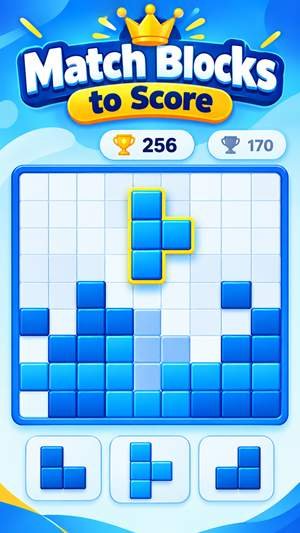
Blockudoku APK is a puzzle game developed by Easybrain. It mixes traditional block puzzle gameplay with Sudoku-inspired mechanics.
The main goal is to place different-shaped blocks on a 9×9 board. When you complete a row, column, or 3×3 square, those blocks are cleared, and you earn points. The game continues until there is no suitable space for another block.
This makes it a strategic puzzle game rather than a simple block-matching title.
Blockudoku APK Free Download
For the safest Blockudoku APK I recommend using the official Google Play listing whenever possible. The official version is published by Easybrain and is free to install, although it contains ads and optional in-app purchases.
The Google Play listing currently shows more than 100 million downloads and a 4.6-star rating. It was updated on September 3, 2026.
Before downloading from any third-party source, check the developer name, package information, file authenticity, and Android compatibility.
Key Features of Blockudoku APK
Blockudoku offers several features that make it suitable for casual and regular puzzle players:
- 9×9 Sudoku-style puzzle board
- Different block shapes
- Simple drag-and-drop controls
- Rows, columns, and 3×3 squares to clear
- Combos and streaks for higher scores
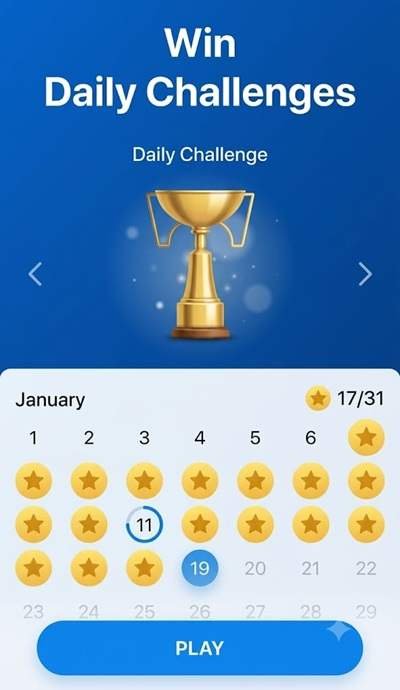
- Daily challenges and trophies
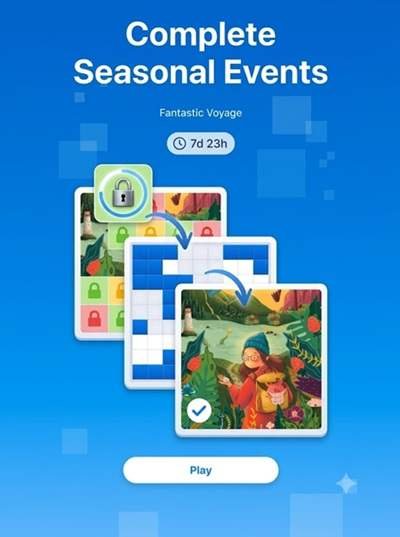
- Seasonal events
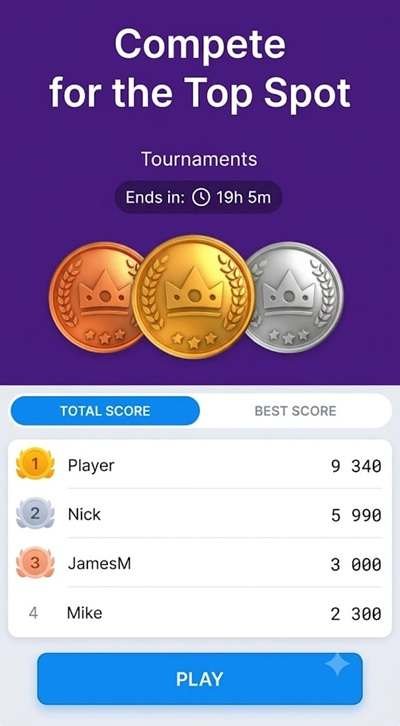
- Tournaments
- Clean and easy-to-use interface
- Single-player gameplay
- Offline play support according to Google Play
The official game page also highlights endless gameplay with daily, monthly, and overall high-score goals.
How Does Blockudoku APK Work?
The basic Blockudoku gameplay is straightforward.
You receive several blocks and must drag them onto the puzzle board. Your objective is to complete lines or 3×3 sections without filling the entire grid.
Once a row, column, or square is completed, it disappears and creates additional space. Smart placement lets you continue playing and build a higher score.
Block Puzzle Gameplay
Do not place blocks randomly. Look at all available shapes before making your move.
Try to keep different areas of the board open so that larger blocks still have somewhere to fit. Clearing multiple lines at once can also help you create combos and improve your score.
Sudoku-Inspired Puzzle Experience
Unlike a normal block puzzle, Blockudoku uses a Sudoku-like 9×9 grid.
You do not need to fill the board with numbers. Instead, you place shapes and clear completed rows, columns, and 3×3 squares.
This combination creates a relaxing but strategic puzzle board game that rewards logical thinking.
Daily Challenges and Rewards
Daily challenges give players additional objectives beyond the standard high-score challenge.
The official listing confirms daily challenges with unique trophies. Easybrain also highlights seasonal events and tournaments that add variety to the regular gameplay.
Different Game Modes
The main experience focuses on endless block puzzle gameplay and high scores. Special activities can include daily challenges, seasonal events, and tournaments.
Available events and gameplay options can change with future updates, so the exact selection may differ between versions.
How to Download Blockudoku APK
For a safe Blockudoku Android download:
- Open the Google Play Store.
- Search for Blockudoku APK: Block Puzzle Game.
- Confirm that the developer is Easybrain.
- Check that your device is compatible.
- Tap Install.
- Wait for the download to finish.
- Open the game and start playing.
If you use a third-party APK source, choose a reputable platform and verify the file before installation.
How to Install Blockudoku APK
If you already have a legitimate APK file:
- Locate the downloaded APK.
- Open the file using your file manager.
- Review the installation prompt.
- Allow installation from that source only if necessary.
- Tap Install.
- Wait for the process to finish.
- Launch Blockudoku.
Avoid modified APK files that promise unlimited rewards, unlocked features, or other suspicious benefits.
System Requirements for Blockudoku APK
The current Google Play listing does not publish a fixed RAM or storage requirement. Archived APK information shows Blockudoku releases supporting Android 7.0 and newer, although newer versions may raise compatibility requirements.
For a smoother experience, I recommend keeping enough free storage for the game and updates and using a reasonably modern Android phone or tablet. A specific RAM requirement should not be treated as official unless Easybrain publishes one.
Tips and Tricks to Get a High Score
Use these Blockudoku tips and tricks to improve your results.
- Plan your move before placing a block.
- Keep several areas of the board open.
- Avoid filling corners too early.
- Look for opportunities to clear multiple lines.
- Think about where the next large block could fit.
- Do not focus only on one part of the board.
- Practice regularly to understand block patterns.
The official developer specifically recommends planning ahead and keeping space available for future pieces.
Why Is Blockudoku APK So Popular?
Blockudoku is popular because its controls are simple while its strategy becomes harder as the board fills.
It combines the familiar feeling of a block puzzle with Sudoku-style planning. Short sessions also make it suitable for casual players who want a relaxing brain-training game.
Pros and Cons of Blockudoku APK
Pros
- Simple controls
- Easy-to-understand gameplay
- Strategic puzzle mechanics
- 9×9 Sudoku-inspired board
- Daily challenges and events
- Suitable for casual players
- Offline gameplay support
Cons
- Higher scores become increasingly difficult
- Ads may appear
- Optional in-app purchases are available
- Special features can change with updates
- Requires patience and planning
Is Blockudoku APK Safe to Download?
The safest option is the official Google Play version published by Easybrain. Avoid unknown websites offering modified or suspicious APK files.
If you download an APK from another source, check the developer information, scan the file with security software, review permissions, and keep Android updated.
I would also avoid versions promising cheats or unauthorised unlocked content because they can create unnecessary security and account risks.
Final Words
Blockudoku APK can be a good choice if you enjoy a mix of block puzzles and Sudoku-inspired strategy. Its 9×9 board, simple controls, daily challenges, combos, and high-score system make the gameplay easy to start but difficult to master.
For the best experience, download the game from a trusted source, keep it updated, and focus on smart block placement rather than rushing your moves.
Frequently Asked Questions
What is Blockudoku APK: Block Puzzle Game?
It is a puzzle game by Easybrain that combines block placement with Sudoku-style rows, columns, and 3×3 squares.
Is Blockudoku APK free to play?
Yes. Google Play lists it as a free game with ads and optional in-app purchases.
How do I download Blockudoku APK on Android?
Search for the official Blockudoku APK game on Google Play, verify that Easybrain is the developer, and tap Install.
How does Blockudoku APK gameplay work?
Place different-shaped blocks on a 9×9 grid and clear completed rows, columns, or 3×3 squares.
What makes Blockudoku APK different from other block puzzle games?
Its main difference is the combination of traditional block placement with Sudoku-inspired grid mechanics.
How can I get a high score in Blockudoku APK?
Plan ahead, preserve open spaces, create multiple clears when possible, and avoid filling the board too quickly.
Does Blockudoku APK have daily challenges?
Yes. The official listing confirms daily challenges and unique trophies.
What are the system requirements for Blockudoku APK?
Archived releases support Android 7.0+, but requirements can change with newer versions. Google Play does not currently publish a fixed RAM requirement.
Is Blockudoku APK safe to download?
The safest choice is the official version from Google Play. Be careful with modified or unknown APK files from third-party websites.