Character AI: Chat, Talk, Text – AI Conversations & Download Guide (2026)
2 Hours ago
90.21 MB
1.17.4
Android 7.0 and up
50M+

Description
Character AI: Chat, Talk, Text is an interactive AI conversation app where users can chat with virtual characters, make voice calls, create custom personalities, and explore fictional stories. It focuses mainly on entertainment, roleplay, creativity, and interactive conversations.
I like the amount of choice available. Instead of talking with only one general chatbot, you can explore many user-created characters or build your own personality for a more customised experience.
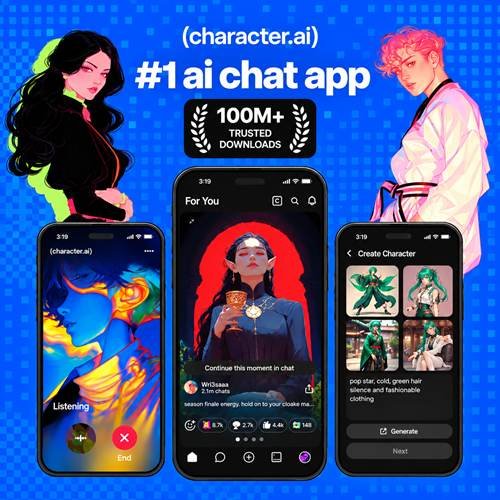
What Is Character AI: Chat, Talk, Text?
Character AI: Chat, Talk, Text is an AI entertainment platform built around virtual characters and interactive conversations. Users can communicate through text or supported voice features.
The official Android listing currently shows more than 50 million downloads and includes millions of user-generated AI characters.
It can be useful for roleplay, storytelling, brainstorming fictional ideas, or simply exploring different AI personalities.
Character AI: Chat, Talk, Text App Features
Some notable features include:
- Text conversations with AI characters
- Live AI voice calls
- Millions of user-generated characters
- Custom character creation
- Different personalities and backstories
- Roleplay and interactive storytelling
- Community-created content
- Free unlimited messaging
- Optional subscription plans
Characters generate responses using AI, so their answers should not automatically be treated as verified facts.
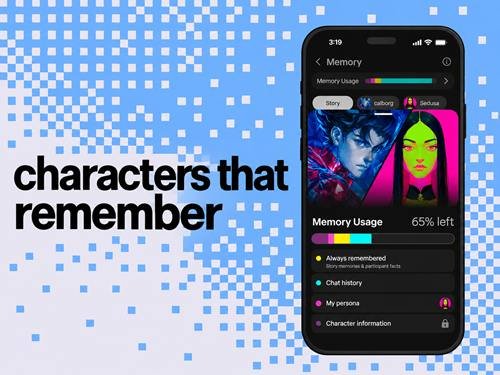
Chat with AI Characters and Personalities
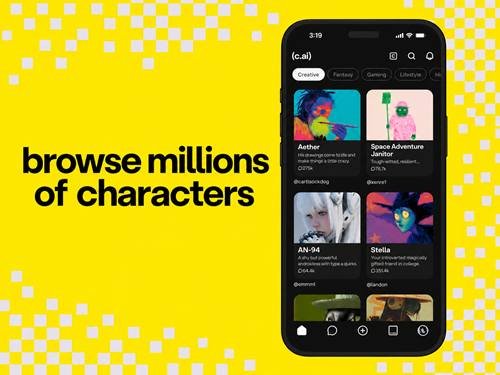
The app provides many characters with different personalities, themes, and conversation styles.
Choose a character, open the chat, and type your message. Conversations can continue over multiple messages, making them useful for longer fictional scenarios and interactive stories.
You can also discover characters created by other community members or build one yourself.
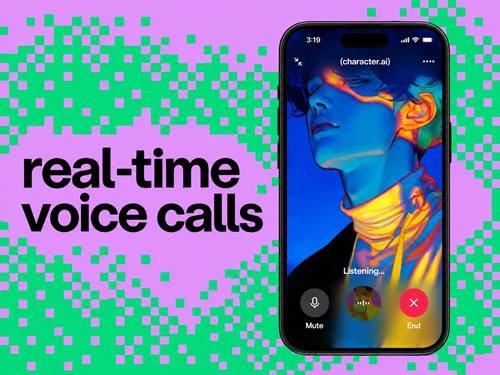
Voice Calls and Conversations with AI Characters
Character Calls allow two-way voice conversations rather than simply reading AI messages aloud. The conversation transcript is also stored as text, so you can review it afterwards.
Character voice can also give characters different voices. Official support says users can choose available voices or create their own from an audio sample.
Check microphone permission if calling or voice features are not working correctly.
How to Create Your Own AI Character
Character creation lets you design a virtual personality instead of relying only on existing characters.
You can define details such as the following:
- Character name
- Personality
- Backstory
- Conversation style
- Greeting
- Voice
- Visibility options
Think about how you want the character to respond before creating it. A clear personality and description can make conversations feel more consistent.
Character Customisation and Chat Settings
Customisation options can help shape your experience. Depending on currently available features and your plan, you may be able to manage chat appearance, voices, memory-related features, notifications, and other preferences.
Characters you create can also have visibility settings. Official support notes that privacy options can control whether created characters or posted content are public or private.
Review these settings before sharing a character publicly.
Creative Writing, Roleplay, and Storytelling
One of the strongest uses of Character.AI is interactive entertainment.
You can use characters to brainstorm fictional plots, develop dialogue, explore roleplay scenarios, or experiment with story ideas.
I recommend treating generated content as creative inspiration rather than automatically accepting factual statements. AI characters can produce inaccurate or inconsistent information.
Free Features and Character AI Subscription Options
Character. AI still provides free unlimited messaging. Its optional paid subscriptions add additional features.
As of September 2026, Character.AI offers c.ai lite alongside c.ai+. Lite provides a daily amount of premium-style messages, fewer ads, improved memory features, and chat customisation, while c.ai+ offers a broader premium experience.
Pricing can vary by country, so check the current subscription screen before purchasing.
Android Compatibility and System Requirements
Compatibility can change as the Android app receives updates. Instead of relying on an old requirement, check Google Play to see whether the current release supports your device.
For a smoother experience:
- Keep enough storage available
- Maintain a reliable internet connection
- Keep the app updated
- Update Android when appropriate
- Allow microphone access when using voice
Because AI responses are generated online, an internet connection is important for normal conversations.
How to Download Character AI from APKDesh
Visit the Character AI page on APKDesh.com.pk and review the available app information.
Tap the Download button and wait approximately 5 seconds. You will then be taken to the official Google Play installation page.
Verify that Character. AI is shown as the developer before installing.
How to Install Character AI on Android
Follow these steps:
- Visit the Character AI page on APKDesh.com.pk.
- Tap Download.
- Wait around 5 seconds.
- Continue to Google Play.
- Verify the app and developer.
- Tap Install.
- Wait for installation to finish.
- Open the app and complete the available setup.
Using the official store version also makes future updates easier to receive.
How to Use Character AI: Chat, Talk, Text
After opening the app, explore the available AI characters and select one that interests you.
Type a message to begin a text conversation. If supported for your account and device, you can also use voice features for a more interactive experience.
You can later create your own characters, change available settings, and manage previous conversations.
Tips for Better AI Conversations
Try these simple tips:
- Write clear messages
- Give useful context
- Explain the type of response you want
- Ask follow-up questions
- Keep fictional scenarios consistent
- Start a fresh conversation when needed
- Verify important factual information elsewhere
- Never rely on an AI character for critical decisions
More context generally gives the AI a clearer idea of what kind of conversation you want.
Common Problems and Troubleshooting
App not loading: Check your connection and restart the app.
Login problem: Confirm your account details and use official recovery options.
Messages not generating: Check connectivity and try again later.
Voice not working: Review microphone permission and audio settings.
App crashing: Restart your phone, close background apps, and check for updates.
Character AI: Chat, Talk, Text Privacy and Safety
Privacy deserves attention when using any AI chat service. Avoid entering passwords, financial credentials, private identification details, or other highly sensitive information into conversations.
Character. AI says users may have privacy rights such as accessing, correcting, deleting, or opting out of certain data processing depending on their region. Its July 2026 privacy update also describes an option to opt out of personal data being used to train and improve its AI models.
The platform also uses safety and moderation systems, including additional protections for younger users.
Character AI Pros and Cons
Pros
- Large variety of AI characters
- Text and voice conversations
- Custom character creation
- Useful for roleplay and storytelling
- Free messaging available
- Creative and interactive experience
Cons
- AI answers can be inaccurate
- An internet connection is needed
- Some advanced features require payment
- Privacy should be considered when chatting
- Character responses can sometimes be inconsistent
Final Thoughts
Character AI: Chat, Talk, Text offers a different approach to conversational AI by focusing on characters, personalities, voice interaction, roleplay, and creative storytelling.
I think it is most useful when treated as an entertainment and creativity platform rather than a source of guaranteed factual information. If you enjoy creating characters, exploring fictional worlds, or having interactive AI conversations, there is plenty to experiment with while keeping privacy and responsible use in mind.
Frequently Asked Questions
What is Character AI: Chat, Talk, Text?
It is an AI conversation and entertainment app where users can chat, talk, roleplay, and create virtual AI characters.
Is Character AI free to use?
Yes. Free unlimited messaging remains available, while optional subscription plans provide additional features.
Can I create my own AI character?
Yes. Character. AI provides tools for creating characters with custom personalities, backstories, and voices.
Can you talk to Character AI using voice?
Yes. Character Calls support two-way voice conversations with AI characters.
Does Character AI require the internet?
An internet connection is needed for its AI conversation and connected features.
How do I download Character AI on Android?
Visit its APKDesh.com.pk page, tap Download, wait around five seconds, and continue to the official Google Play page.
Is Character AI suitable for creative writing?
Yes. It can be used for fictional dialogue, roleplay, brainstorming, character development, and interactive storytelling.
Is Character AI safe to use?
The platform provides privacy and safety controls, but users should still avoid sharing highly sensitive information and remember that AI-generated responses may be inaccurate.