Extreme Balancer 3 – Gameplay, Features & Download Guide (2026)
2 Hours ago
66.93 MB
90.7
Android 7.1 and up
50M+

Description
Extreme Balancer 3 is a physics-based ball-balancing game where players guide a ball across narrow wooden bridges, platforms, and dangerous obstacles. The main goal sounds simple: keep the ball under control and safely reach the end of each level.
The game is developed by Enteriosoft and has more than 50 million downloads on Google Play. I like the concept because it relies more on patience, timing, and accurate movement than complicated controls.
What Is Extreme Balancer 3?
It is a 3D platform and balancing game built around realistic ball physics. Players move a ball through challenging environments while trying to avoid falling from narrow paths.
The difficulty increases as you progress, so careful control becomes more important. Google Play currently lists the title as an offline, single-player game, which also makes it useful when you want to play without a constant internet connection.
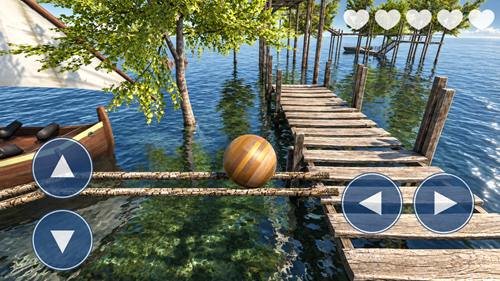
Extreme Balancer 3 Game Features
Some of its main features include:
- Physics-based ball movement
- Increasingly challenging levels
- Narrow wooden bridges and platforms
- Different obstacles and hazards
- Simple movement controls
- Detailed 3D environments
- Offline single-player gameplay
- Collectibles, skins, and trail effects
The 2026 update added new collectibles, skins, trail effects, smoother UI animations, and several bug fixes.
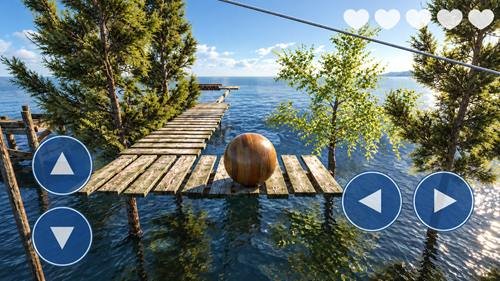
Ball Balancing Gameplay and Objectives
The basic objective is to move your ball safely toward the destination without falling.
Every movement matters because the realistic physics affect how the ball responds. Moving too quickly near an edge can easily send it off the platform.
The official description specifically mentions balancing the ball across wooden bridges and eventually reaching the boat safely.
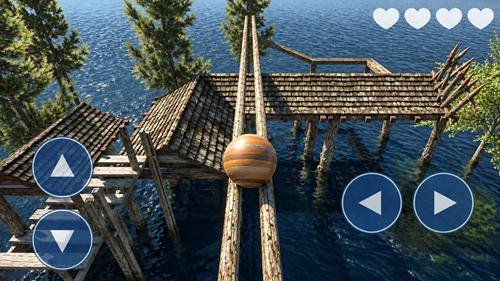
Challenging Levels, Obstacles, and Traps
Levels become more difficult as you progress. Narrow paths and different obstacles require better timing and more precise movement.
I recommend looking at the path ahead before moving quickly. When you reach a difficult section, slowing down and understanding how an obstacle behaves can be more effective than repeatedly rushing through it.
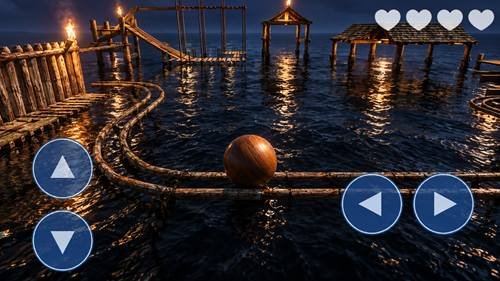
Game Controls and Movement
The controls are designed to be simple, but mastering ball movement still takes practice.
Small and controlled movements work well around narrow areas. Sudden changes in direction can make the ball harder to manage, particularly when there is little space available.
Beginners should first learn how quickly the ball responds before attempting difficult sections at higher speed.
Graphics, Sound, and Game Environment
The game uses 3D graphics to create its platforms, bridges, surrounding scenery, and obstacle courses.
Its realistic physics work together with the visual environment to make balancing feel more challenging. The official listing describes different worlds and detailed 3D environments as important parts of the experience.
Sound effects and background audio also support the gameplay without changing its simple objective.
Checkpoints and Level Progression
Progress is based on completing increasingly difficult stages.
One important point is that the current official Google Play description says that if your ball falls, you may have to start over. Therefore, players should not assume that every difficult section provides a checkpoint.
Repeated attempts can still help you learn the route, improve timing, and understand obstacle patterns.
Android Compatibility and System Requirements
Exact compatibility can depend on your Android device and the current game release. Instead of relying on an old Android requirement, I recommend checking Google Play directly on your phone.
For smoother gameplay:
- Keep enough free storage available
- Close unnecessary background apps
- Keep Android updated
- Install the latest supported game release
- Check Google Play for device compatibility
The game is currently available for Android and is also listed for Windows through Google Play Games on PC.
How to Download Extreme Balancer 3 from APKDesh
Visit the game page on APKDesh.com.pk and review the available information before downloading.
Tap the Download button and wait approximately 5 seconds. You will then be redirected to the official Google Play page.
Check that Enteriosoft appears as the developer before continuing with the installation.
How to Install Extreme Balancer 3 on Android
Installation is straightforward:
- Visit the game page on APKDesh.com.pk.
- Tap the Download button.
- Wait around five seconds.
- Continue to the official Google Play listing.
- Verify Enteriosoft as the developer.
- Tap Install.
- Wait for the installation to finish.
- Open the game and start playing.
This method lets you complete the actual installation through Google Play.
How to Play Extreme Balancer 3
Start a level and use the movement controls to guide your ball along the available route.
Keep the ball near the centre of narrow platforms whenever possible. Reduce your speed before obstacles, turns, and platform edges.
Your goal is to overcome each challenge without falling and reach the destination safely.
Tips to Complete Difficult Levels
These simple tips can make difficult sections easier:
- Avoid rushing across narrow bridges
- Learn how the physics affect momentum
- Slow down before sharp turns
- Watch obstacle movement before proceeding
- Make small adjustments near edges
- Learn from failed attempts
- Stay patient on difficult stages
Good control is usually more useful than speed in a ball-balancing game.
Common Problems and Troubleshooting
Game not opening: Restart your phone and check for updates.
Lag or slow performance: Close background apps and free up device storage.
Controls feel unresponsive: Restart the game and check whether your touchscreen works correctly in other apps.
Installation problem: Confirm that your device supports the current Google Play release and has enough free space.
Game keeps crashing: Update the game and Android, then restart your device.
Extreme Balancer 3 Privacy and Safety
The safest approach is to use the authentic Google Play listing and verify the developer before installation.
According to the current Google Play data-safety declaration, the app may share location, app information and performance, and device or other IDs with third parties. The listing says no data is collected, data is encrypted in transit, and users can request data deletion.
Avoid suspicious modified files that claim to provide unofficial advantages.
Pros and Cons
Pros
- Simple gameplay concept
- Realistic physics
- Challenging progression
- Attractive 3D environments
- Easy-to-understand controls
- Offline single-player support
Cons
- Difficult sections can require repeated attempts
- Falling may mean restarting your progress through a section
- Contains ads and in-app purchases
My Review of Extreme Balancer 3
I think the strongest part of this game is its simple idea combined with challenging physics. You do not need to learn a complicated combat or upgrade system before understanding what to do.
However, players who dislike repeating difficult sections may find some levels frustrating. It is better suited to people who enjoy precision, obstacle courses, physics games, and skill-based challenges.
Frequently Asked Questions
What is Extreme Balancer 3?
It is a 3D physics-based game where you balance a ball across narrow bridges and obstacles to reach the destination.
How do you play Extreme Balancer 3?
Use the movement controls carefully, keep the ball balanced, avoid falling, and reach the end of each stage.
Is it free to play Extreme Balancer 3?
It is available to install through Google Play and contains ads and in-app purchases.
Does Extreme Balancer 3 work offline?
Yes. Google Play currently labels it as an offline single-player game.
What are the Android requirements?
Compatibility can vary by device and release, so check the current Google Play listing on your Android phone.
How do I download it?
Use the APKDesh Download button, wait around five seconds, and continue to the official Google Play page.
Is it safe to download?
For the safest installation, verify Enteriosoft as the developer and complete the installation through Google Play.
Final Thoughts
Extreme Balancer 3 turns a straightforward ball-control concept into a challenging physics-based experience. Its narrow bridges, realistic movement, 3D environments, and increasingly difficult stages reward patience and precise control.
For players who enjoy rolling-ball, obstacle, and skill-based games, it is worth considering—especially if you want an offline challenge that is easy to understand but harder to master.