GroupMe APK – Group Messaging, Features & Download Guide (2026)
Sep 3, 2026
85.63 MB
16.16.6
Android 9 and up
10M+

Description
GroupMe APK is a free group messaging app designed to keep friends, families, classmates, teams, and other communities connected. You can create group conversations, send direct messages, share media, and manage several chats from one account.
I like the simple idea behind GroupMe: instead of making communication complicated, it keeps everyday conversations organised in separate groups. The service works on Android, iOS, and the web.
What Is GroupMe APK?
GroupMe is a group messaging service from Microsoft. It allows users to create group chats or communicate privately through direct messages.
The app is useful for family conversations, school groups, clubs, friends, and other communities. Microsoft also offers GroupMe Campus for supported school communities.
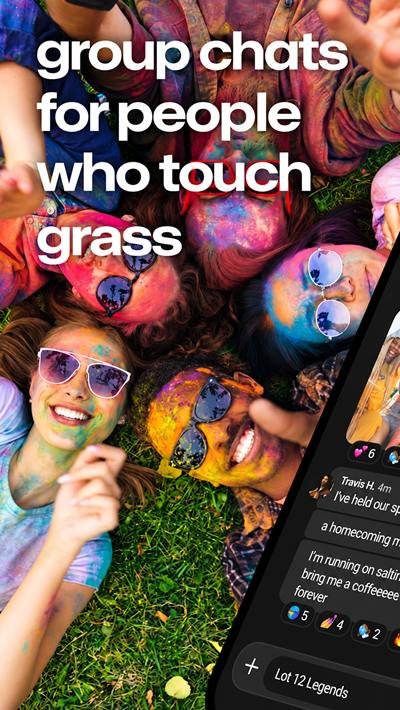
GroupMe Features for Group Messaging
GroupMe provides more than basic text messaging. Useful features include:
- Group and direct messaging
- Photos and video sharing
- Message reactions
- Polls and events
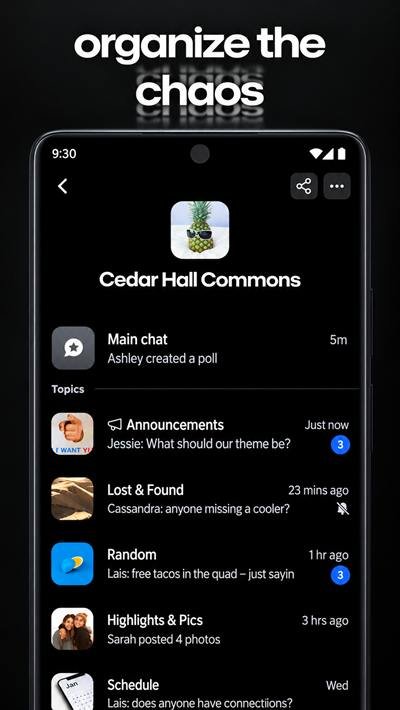
- Group Topics
- Pinned messages
- Group administration tools
- Shared albums
- Group calling
- Custom group settings
These tools can help keep larger conversations organised, especially when many people are communicating in the same group.

GroupMe Latest Version for Android
The official Google Play listing shows that the Android app was updated on September 3, 2026.
Because the exact app version can change with future updates, I recommend checking Google Play before downloading. This gives you current compatibility, updates, and data-safety information.
Android Compatibility and System Requirements
GroupMe is officially available for Android, but compatibility can depend on your phone, Android version, available storage, and current app release.
An internet connection is generally needed for app-based messaging and online features. Google Play can automatically show whether the current release supports your particular device.
How to Download GroupMe APK from APKDesh
First, visit the GroupMe APK page on APKDesh.Com.pk and review the available app information.
Tap the Download button and stay on APKDesh for about 5 seconds. You will then be redirected to the official Google Play page for GroupMe.
Check the app information before continuing, then tap ‘Install’ to begin the official download.
How to Install GroupMe APK on Android
Follow these simple steps:
- Open the GroupMe APK page on APKDesh.
- Tap the Download button.
- Wait about 5 seconds on APKDesh.
- Continue to the official Google Play listing.
- Check the app and developer information.
- Tap Install.
- Wait for installation to finish.
- Open GroupMe and begin account setup.
Using the official store listing also makes future app updates easier to manage.
How to Register and Set Up Your Profile
Open GroupMe APK and choose an available sign-up method. Microsoft says users can begin with Microsoft account details, an email address, Apple account details, or Facebook details.
You will enter your name, choose an avatar, create a password, and provide a phone number. A PIN sent by text message is then used for verification. A phone number is required when creating a new account.
How to Create and Join a Group
Creating a group is straightforward. Open the Chats tab, start a new conversation, and select Start Group.
Choose a group name and avatar, then add members using their name, email, phone number, or existing GroupMe contacts. Groups can also support shared links when enabled by an owner or admin.

How to Share Photos, Videos, and Messages
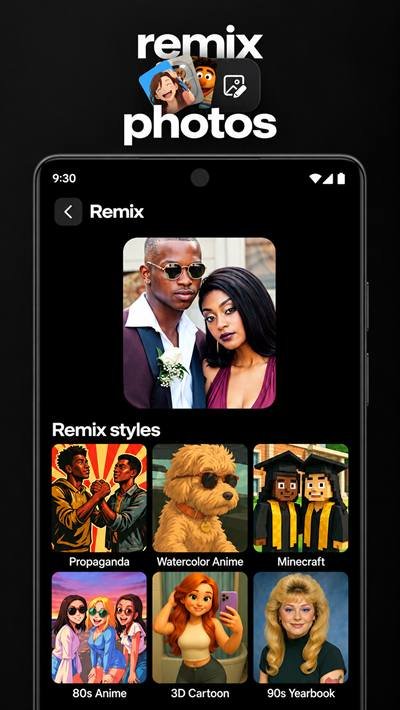
GroupMe supports text conversations alongside media sharing. You can share photos, videos, GIFs, and other supported content inside conversations.
Shared albums can also bring photos and videos from group members together in one collection, which can be useful after events or group activities.
I recommend checking personal or sensitive content carefully before sending it to a large group.
How to Manage Group Notifications
Busy groups can produce many alerts. GroupMe lets members manage notification options and mute individual group conversations.
Open the relevant group settings and adjust notifications based on your preferences. Muting less important groups can reduce interruptions without requiring you to leave the conversation.
GroupMe APK Privacy and Safety Settings
Microsoft states that your phone number and email address are kept private from other GroupMe group members. Other members normally see your name and avatar instead.
Group settings can also control who joins. Owners and admins can choose options such as allowing anyone to join or requiring approval. Users can also report concerns, while contact-management tools include blocking options.
Even with these controls, I recommend avoiding the sharing of passwords, verification codes, financial information, or other sensitive personal details in group chats.
Common GroupMe APK Problems and Fixes
App not opening: Restart the phone and check for an available update.
Messages not sending: Check your internet connection and reopen the app.
Notifications not appearing: Review both GroupMe and Android notification settings.
Login problems: Confirm your account information and internet connection.
PIN not received: Check that you entered the correct phone number and follow Microsoft’s verification troubleshooting guidance.
Microsoft provides dedicated GroupMe troubleshooting resources for sign-in, PIN, notification, and account problems.
GroupMe APK Pros and Cons
Pros
- Simple group messaging
- Direct and group conversations
- Photo and video sharing
- Useful notification controls
- Group management features
- Available across multiple platforms
Cons
- Online features require connectivity
- Phone number required for new accounts
- Busy groups can create many notifications
- Some functionality can depend on region or platform
Final Thoughts
GroupMe APK provides an easy way to manage conversations with friends, family, classmates, teams, and communities. Group creation, media sharing, notifications, events, polls, and privacy controls give users several ways to organise communication.
For me, its strongest point is simplicity. If you regularly communicate with several groups and want each conversation kept in one organised place, GroupMe offers a practical set of messaging tools.
FAQs About GroupMe APK
What is GroupMe APK?
It is a free group messaging service from Microsoft.
Is GroupMe free to use?
Yes, Microsoft describes GroupMe as a free group messaging app. Standard messaging charges can apply in relevant SMS situations.
How do I create an account?
Install GroupMe, enter the required account details, provide your phone number, and complete PIN verification.
Can I share photos and videos?
Yes. GroupMe supports media sharing in conversations.
How do I create a group?
Select a new conversation, choose Start Group, enter the group details, and add members.
Can I mute group notifications?
Yes. Individual groups can be muted through their settings.
Is GroupMe APK safe to use?
GroupMe provides privacy and account-management controls, but users should still protect login information and avoid sharing sensitive data.