Free Fire Advance Serve APK Download for Android – Complete Guide (2026)
Sep 12, 2026
903MB
68.55.0
Android 5+
100M+

Description
Free Fire Advance Serve is commonly searched by players who want early access to upcoming Free Fire features. The official name is Free Fire Advance Server, a separate testing environment where selected players can try experimental content before wider release.
Garena uses these testing periods to collect feedback and identify problems before major updates reach the regular game. Recent official Free Fire news lists the OB55 update on September 10, 2026.
What Is the Free Fire Advance Server?
The Advance Server is a beta-style test version of Free Fire. It can contain new characters, weapons, events, gameplay changes, and other experimental features.
Unlike the regular game, access is limited and depends on the active testing period. Players may also notice bugs, crashes, balance problems, or unfinished features.
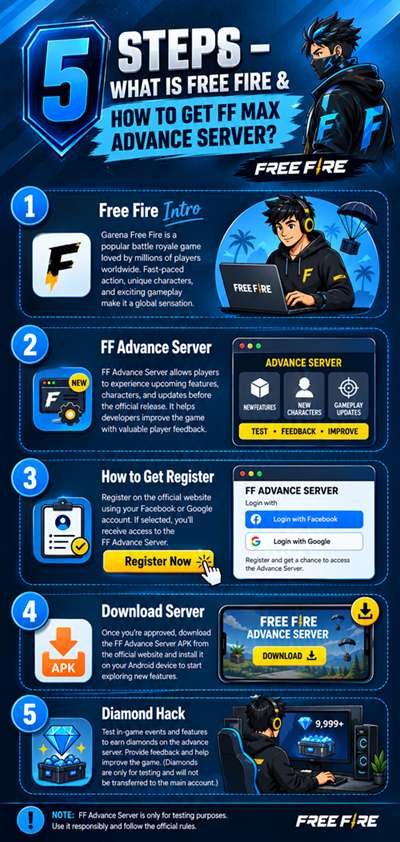
Free Fire Advance Server Latest Version
The latest major Free Fire update is OB55, with official patch notes published by Garena on September 10, 2026. The update includes the return of the Naruto Shippuden collaboration and the Nine Tails event, along with other gameplay changes.
However, Advance Server availability works in separate testing cycles. The recent OB55 testing period ran from August 21 to September 3, so players should check the official Advance Server website for the next registration window rather than downloading an old APK.
Free Fire Advance Server APK Download for Android
The test client is distributed separately from the normal Free Fire application. When a testing period is active, eligible players can obtain the download through Garena’s Advance Server platform.
I recommend checking the official registration page first. Avoid websites offering random APK files or claiming that everyone can instantly access the server.
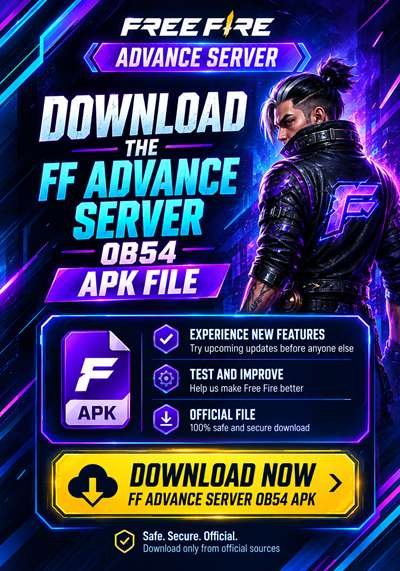
How to Download Free Fire Advance Server APK
Follow these steps when a new testing cycle becomes available:
- Open Garena’s official Advance Server website.
- Sign in using an eligible account.
- Complete the registration process.
- Wait for access if registration is required.
- Download the test APK from the official source.
- Check the file before installing it.
The official registration process has historically used Google or Facebook account sign-in. Availability can change between testing periods.
How to Install Free Fire Advance Server on Android
After obtaining the legitimate test file:
- Open the downloaded APK.
- Allow installation from the required source if Android asks.
- Complete the installation.
- Launch the application.
- Sign in with the eligible account.
- Enter an activation code if Garena requires one.
Do not install modified packages claiming unlimited diamonds, skins, or special access.
How to Register for the Free Fire Advance Server
Registration is only available during selected testing periods. Visit the official Advance Server website, sign in with the required account, and submit your registration information.
Registration does not always guarantee access. Garena can limit participation based on the current testing cycle.
How to Get an Activation Code
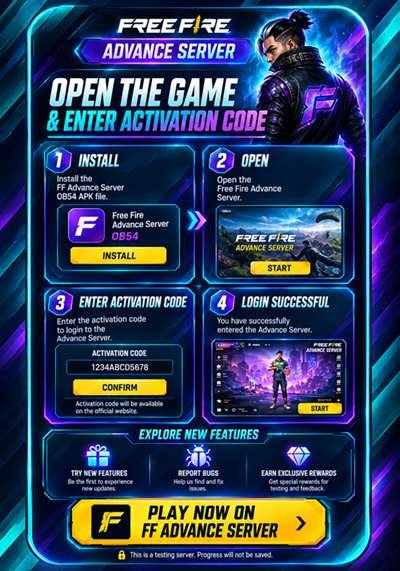
An activation code is used to verify eligible access to the testing server. Codes are not guaranteed for every player.
If you receive an official code, enter it exactly as provided. If it does not work, check whether the code has expired, whether you are using the correct account, and whether the testing period is still active.
Be careful with websites promising “working codes for everyone.” Such claims may be misleading or unsafe.
New Features and Updates

Advanced server content can change with every testing cycle. Depending on the build, players may get early looks at:
- New characters and abilities
- Weapons and item changes
- New maps or modes
- Special events
- Interface improvements
- Gameplay adjustments
- Experimental features
Not every test feature necessarily appears in the final version.
Free Fire Advance Server Gameplay Experience
The main attraction is early access. Players can explore upcoming content before it becomes widely available.
At the same time, this is a testing environment. Bugs, crashes, unusual balancing, missing content, and performance problems are normal possibilities. That is one reason the regular Free Fire version remains better for players who want a stable experience.
Free Fire Advance Server System Requirements
Garena does not provide one permanent RAM or storage requirement for every Advance Server cycle. Requirements can vary with each build and device.
Before installation, make sure your phone has:
- A compatible Android version
- Enough free storage
- Stable internet access
- Sufficient device performance
- A supported account and testing build
Is the Free Fire Advance Server Safe to Use?
The safest approach is to download the test client through Garena’s official Advance Server platform.
Avoid unofficial APK websites, modified applications, and files that request unusual permissions. A legitimate testing build can still contain bugs because its purpose is to test upcoming content.
Free Fire Advance Server vs. Regular Free Fire
The main difference is purpose.
Advance Server:
- Early experimental content
- Limited access
- Registration may be required
- Possible bugs and crashes
- Used for testing and feedback
Regular Free Fire:
- Stable public version
- Normal player access
- Official released content
- Better choice for everyday gameplay
For normal gaming, I would choose the regular version. For players who enjoy testing upcoming features, the Advance Server can be more interesting when a testing cycle is open.
Common Download and Installation Problems
If the APK does not install, first check the Android version, available storage, and file integrity.
For login or activation problems, confirm that you are using the registered account and a valid code. If the server is unavailable, the testing period may have ended.
Do not try random modified APKs to bypass access restrictions.
Pros and Cons
Pros
- Early access to upcoming content
- Opportunity to test experimental features
- Can help identify bugs
- Interesting for dedicated Free Fire players
Cons
- Access is limited
- Testing periods are temporary
- Activation may be required
- Bugs and crashes can occur
- Unofficial APK downloads create security risks
Final Thoughts
Free Fire Advance Serve is useful for players who want to explore upcoming Free Fire content before its wider release. The important thing to remember is that it is a testing platform, not simply another version of the regular game.
Before looking for a Free Fire Advance Server APK download, check whether Garena currently has an active testing period. Use the official registration process and avoid suspicious files. This approach gives you a much safer way to explore new Free Fire features.
Frequently Asked Questions
What is the Free Fire Advance Server?
It is a testing version of Free Fire that allows selected players to experience upcoming content before wider release.
Is the Free Fire Advance Server free?
The testing client itself is generally provided without a separate purchase, but access depends on Garena’s current testing program.
How can I download it on Android?
When a testing cycle is active, register through Garena’s official Advance Server platform and use the available download option.
How do I get an activation code?
Eligible players may receive an activation code through the official testing process. Codes are not guaranteed for everyone.
Can everyone access the Advance Server?
No. Access can be limited depending on the current testing period and Garena’s eligibility process.
Is the Advance Server safe?
The official test client is the safest option. Avoid modified or suspicious APK files from unknown sources.
Can I play it without registration?
Access requirements can vary, but players should follow Garena’s official registration and access process for the active testing cycle.
What should I do if the APK does not install?
Check your Android compatibility, free storage, file integrity, and installation permissions. If the testing period has ended, wait for the next official cycle.